Cloud Settings
-
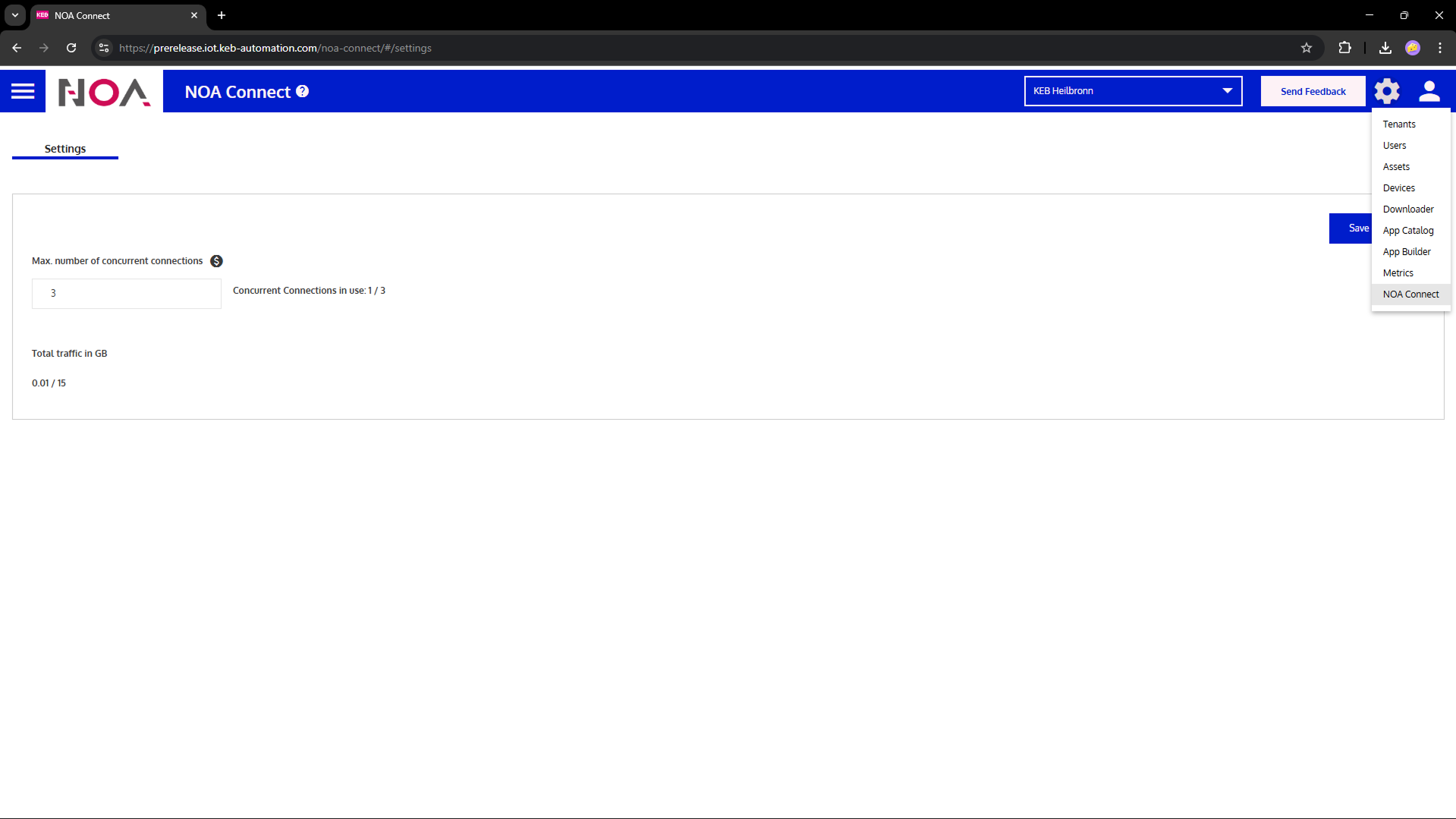
Open Options Menu > NOA Connect.
Set "Max. number of concurrent connections" to ≥1 i.e. enable Remote Access
-
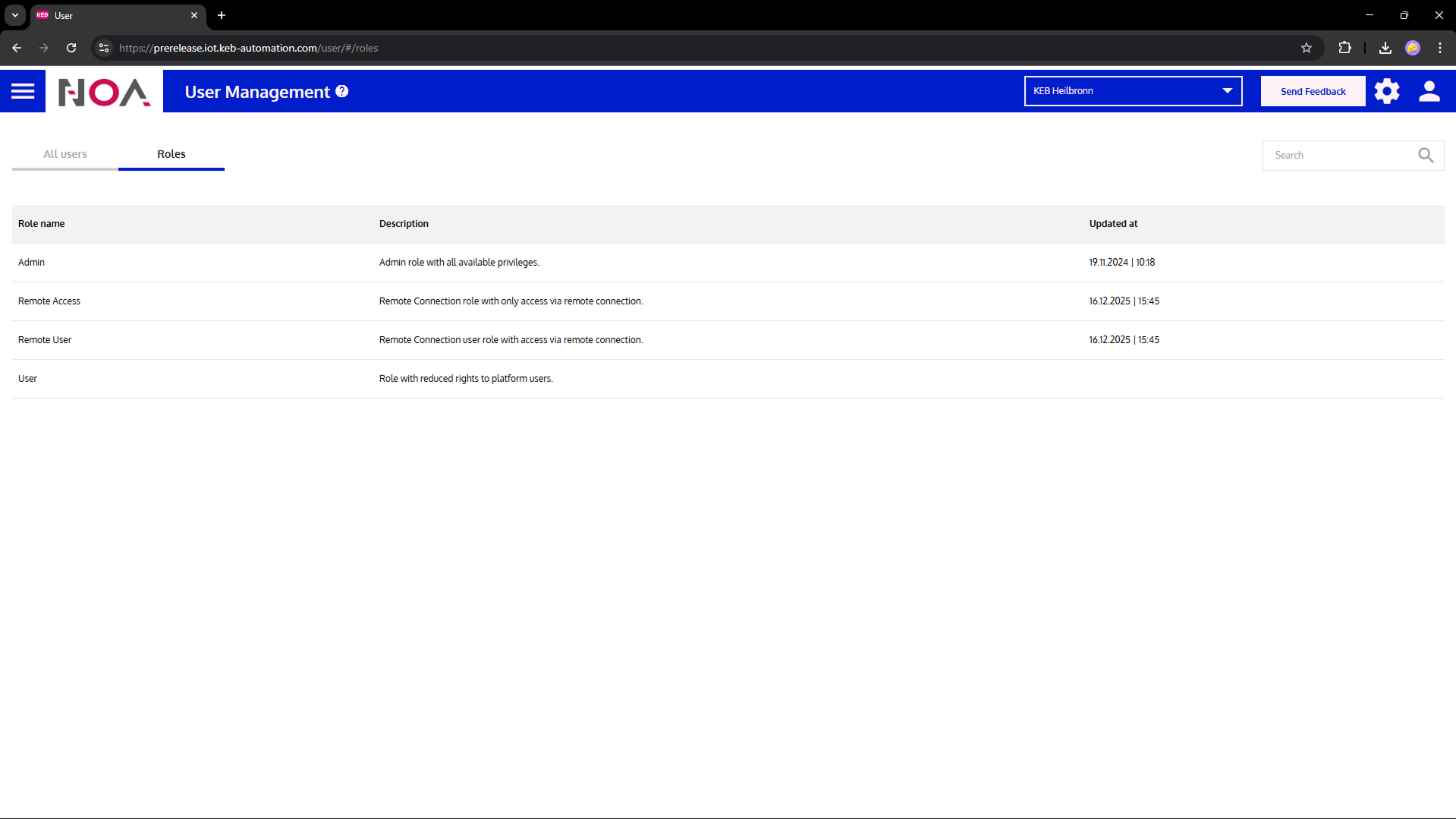
Open Options Menu > Users
Admin users have the right to perform remote service.
Add more users with role "Remote User": these may perform remote service, too. See below for details.
Users and Tenants for Remote Access
Users are uniquely identified by their e-mail address with which they registered in NOA Portal. All users are within the same tenant (this may change eventually).
Roles for Remote Service
- Admin: All rights inside the tenant, including remote access
- Remote User: May perform remote service in the tenant, is also a user of the tenant
- User: Cannot perform remote service. May access NOA Portal, has limited rights compared to Admin
- Remote Access: May perform remote service to devices in the tenant. Cannot access NOA Portal
Remote Service for Own Devices
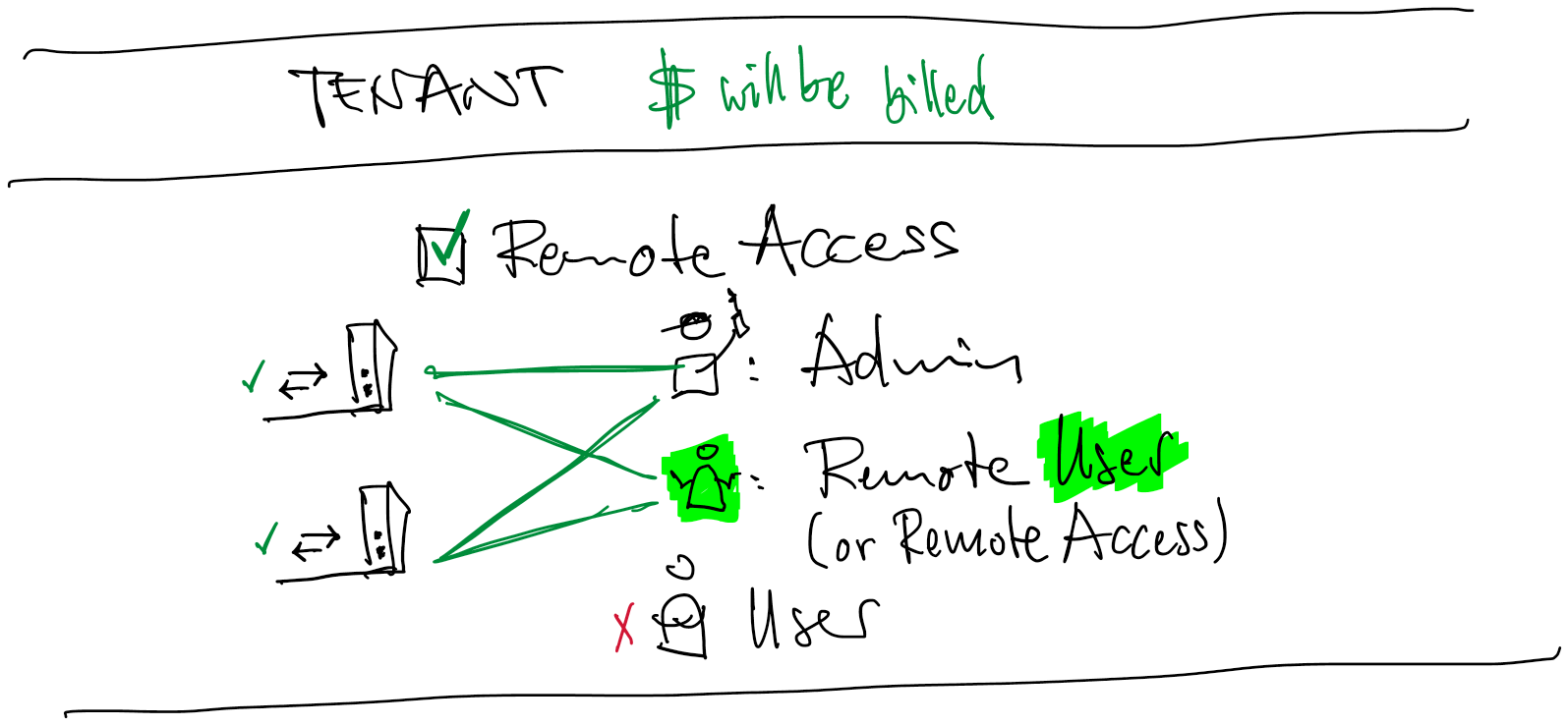
A customer (tenant) accesses its own machines (devices) remotely.
- The tenant has remote access enabled i.e. Concurrent Connections ≥1; these connections will be billed
- Two devices have the NOA Connect app installed
- Admin and remote roles ("Access" and "User") can perform remote service to both of their devices
- There is no restriction for any user to specific devices
- User cannot perform remote service